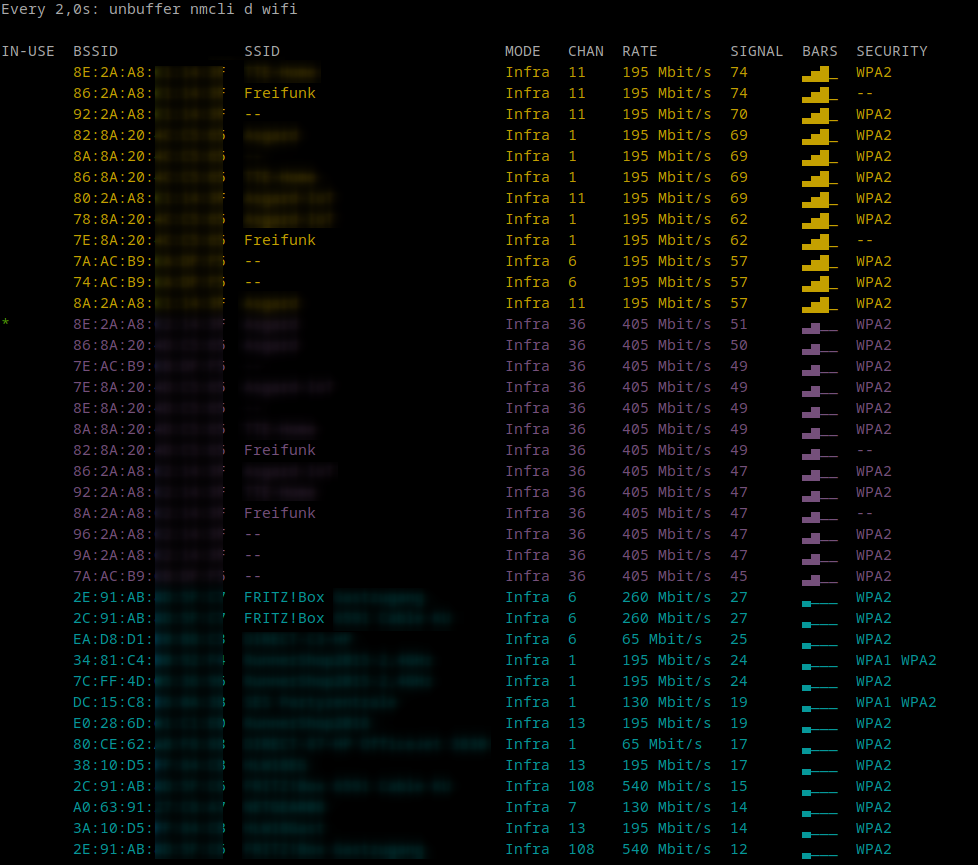
Today I was setting up a wifi network that is necessary for tomorrows Covid-19 vaccination event in the town Schönaich and then was wondering how to easily analyze the wifi with its used channels and signal strength.
Short googling helpt to find nmcli d wifi which prints a snapshot of the currently
known wifi networks with their channels, strength, security… It is quite pretty
with colored output and it did the job.
As I wanted to monitor the signals while walking up and down the hall I just thought
about refreshing the command automatically and tried watch nmcli d wifi. This resulted
in a non colored output.
After adding a -c to the watch command I realized that nmcli disabled color output
as it did not detect a color capable terminal and output stayed white-on-black.
So I remembered to use unbuffer for such setup and that worked quite well:
watch -c unbuffer nmcli d wifi
So unbuffer helps you with every command to keep output colored so you can use it with
watch -c or less -R.
When I returned home I was thinking a bit about what I did this afternoon I remembered
that quite a lot of cli tools offer a --color option. And after lookin into nmcli’s
manpage I realized that there was a more obvious way: watch -c nmcli -c yes d wifi